Physical Computing / Arduino / Music Interaction
TapTempo Recommender
A physical-digital prototype that turns tap input into BPM estimation and music recommendation feedback.
Role
Interaction Designer, Physical Prototyper
Tools
Arduino, Figma, physical materials, web demo
Focus
Tap input, BPM feedback, recommendation flow
Overview
Designing a clear loop between human rhythm and system feedback.
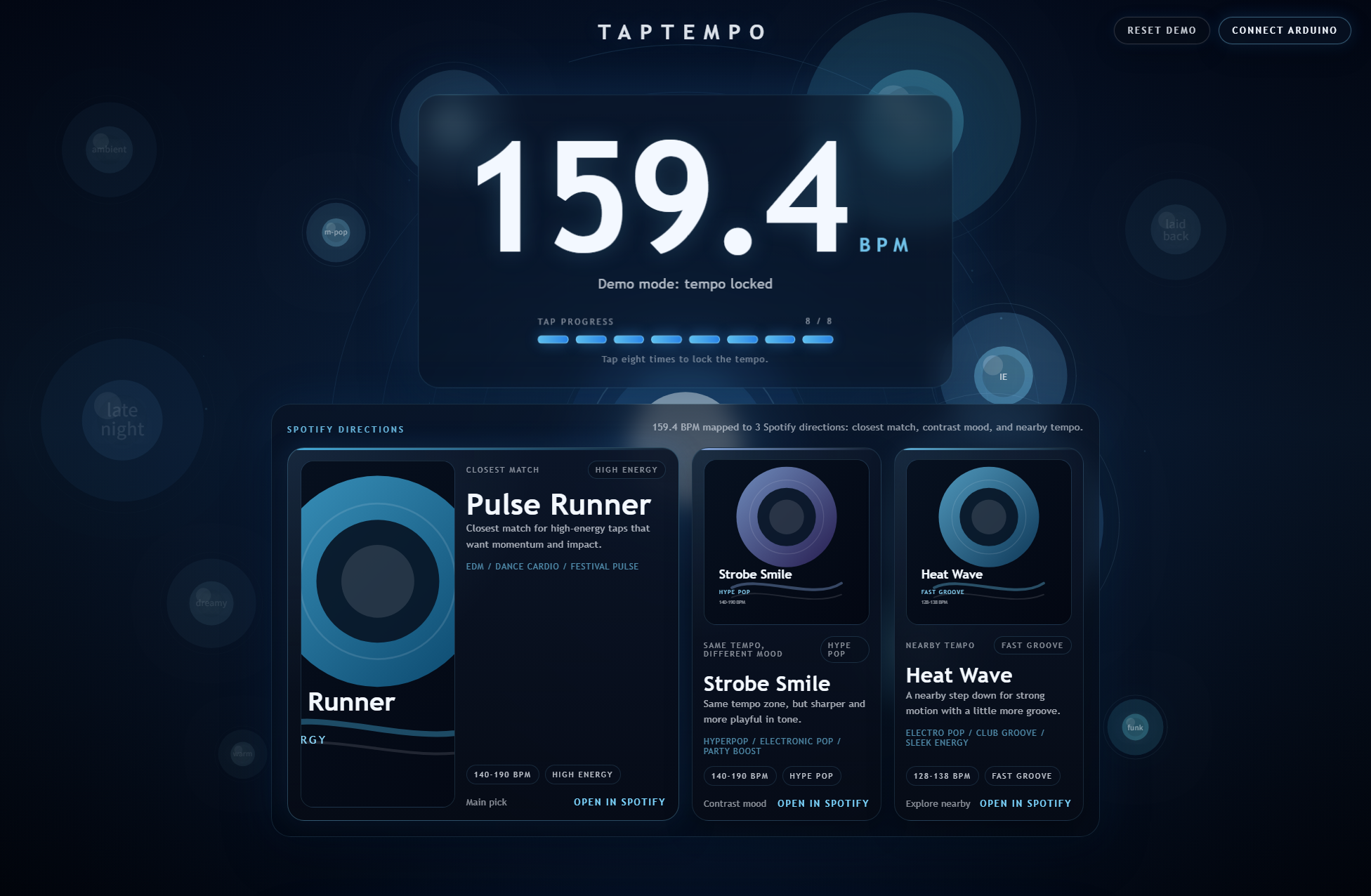
TapTempo explores how a simple physical action, tapping a beat, can become a readable interactive system. The prototype estimates tempo from repeated taps, translates that input into BPM feedback, and connects the result to a music recommendation experience.
The design challenge was not only making the electronics work. It was making the interaction understandable: what to do, what the system heard, and what changed after each tap.
Live Prototype Preview
Open in new tabProcess
From rough physical input to a readable music recommendation demo.
The project moved between hardware testing and interface design. The goal was to make every state understandable: where to tap, how many taps were needed, what BPM was detected, and why the recommendations appeared.
1. Define the interaction loop
I framed the experience around a simple loop: tap a rhythm, detect the timing, calculate BPM, then show music recommendation feedback.
2. Build the physical input
The prototype used Arduino components and a rough enclosure to test whether a user could express tempo through a tangible tapping action.
3. Translate signal into feedback
The system needed clear feedback after each tap, so the web interface made tap progress, BPM state, and recommendation logic visible.
4. Refine the demo experience
I adjusted the physical form, visual hierarchy, and final web output so the project could be understood quickly in a portfolio or critique setting.
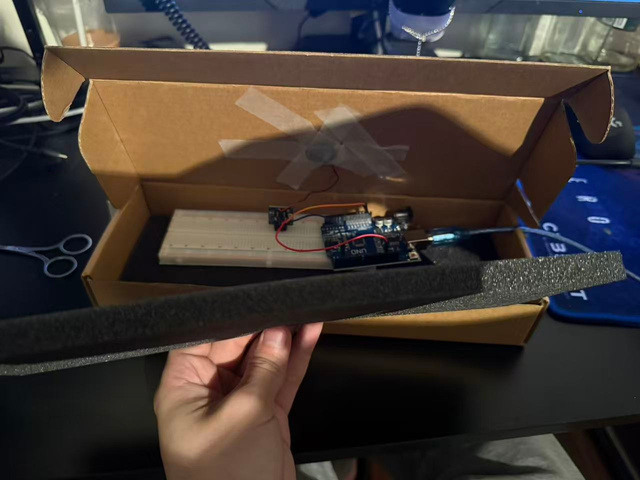
Physical prototype build
The cardboard enclosure helped test how a tap-based interaction could feel as a physical object, not just a screen input.
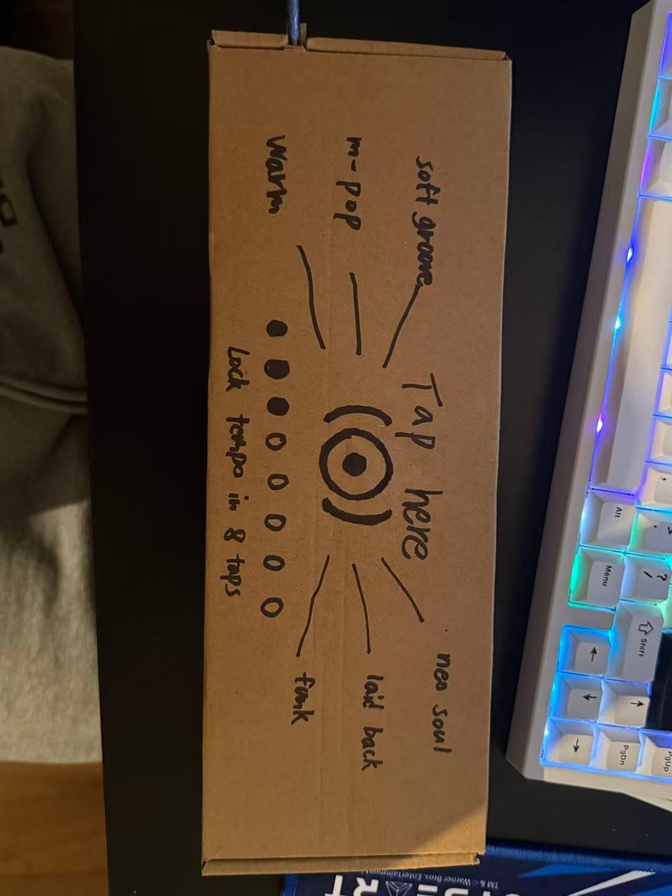
Interaction prompt sketch
Early markings made the tap zone, input instruction, and user action more visible during testing.
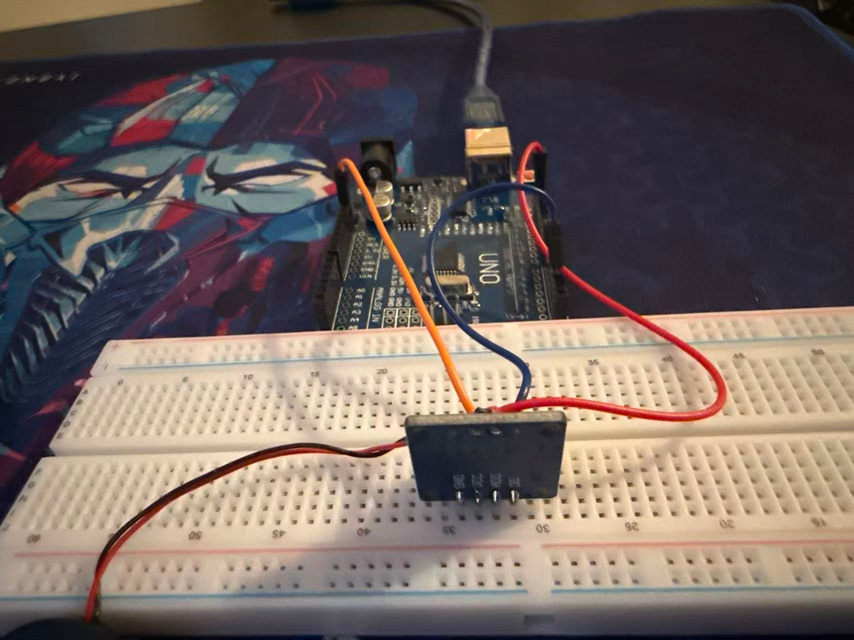
Circuit and signal testing
Arduino and breadboard wiring were used to test whether repeated physical taps could be captured as timing data.
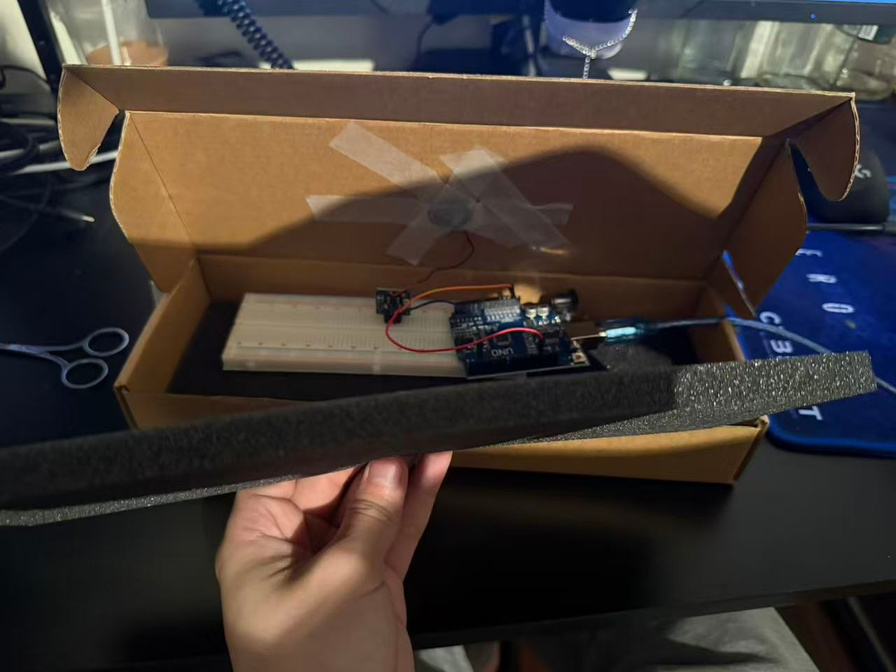
Enclosure iteration
Foam and cardboard were adjusted to protect the electronics while keeping the interaction area reachable.
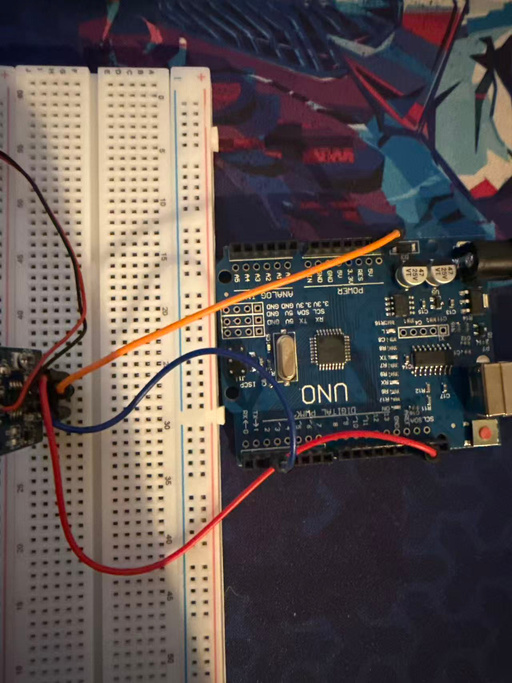
Input reliability
Wiring checks helped refine the connection between physical tapping, signal detection, and digital BPM feedback.
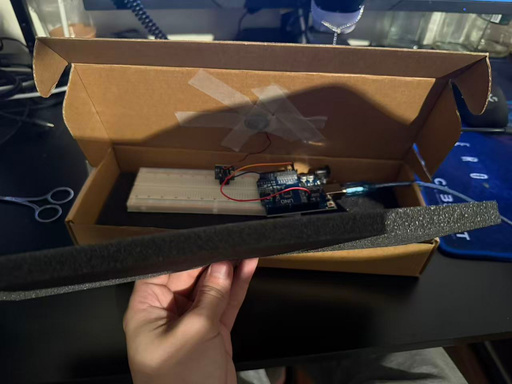
Prototype form test
The final physical form made the system easier to demo: tap the object, read the BPM, and review the recommendation output.
Skills Used
Result
The final prototype demonstrates a complete interaction loop: physical tap input, tempo interpretation, visible feedback, and a music recommendation direction.
Open live prototype